
The SEO tools worth knowing in 2026 do seven jobs: keyword research, rank tracking, backlink analysis, technical audits, content grading, all-in-one research, and analytics. You do not need all 40. Most sites run well on three or four.
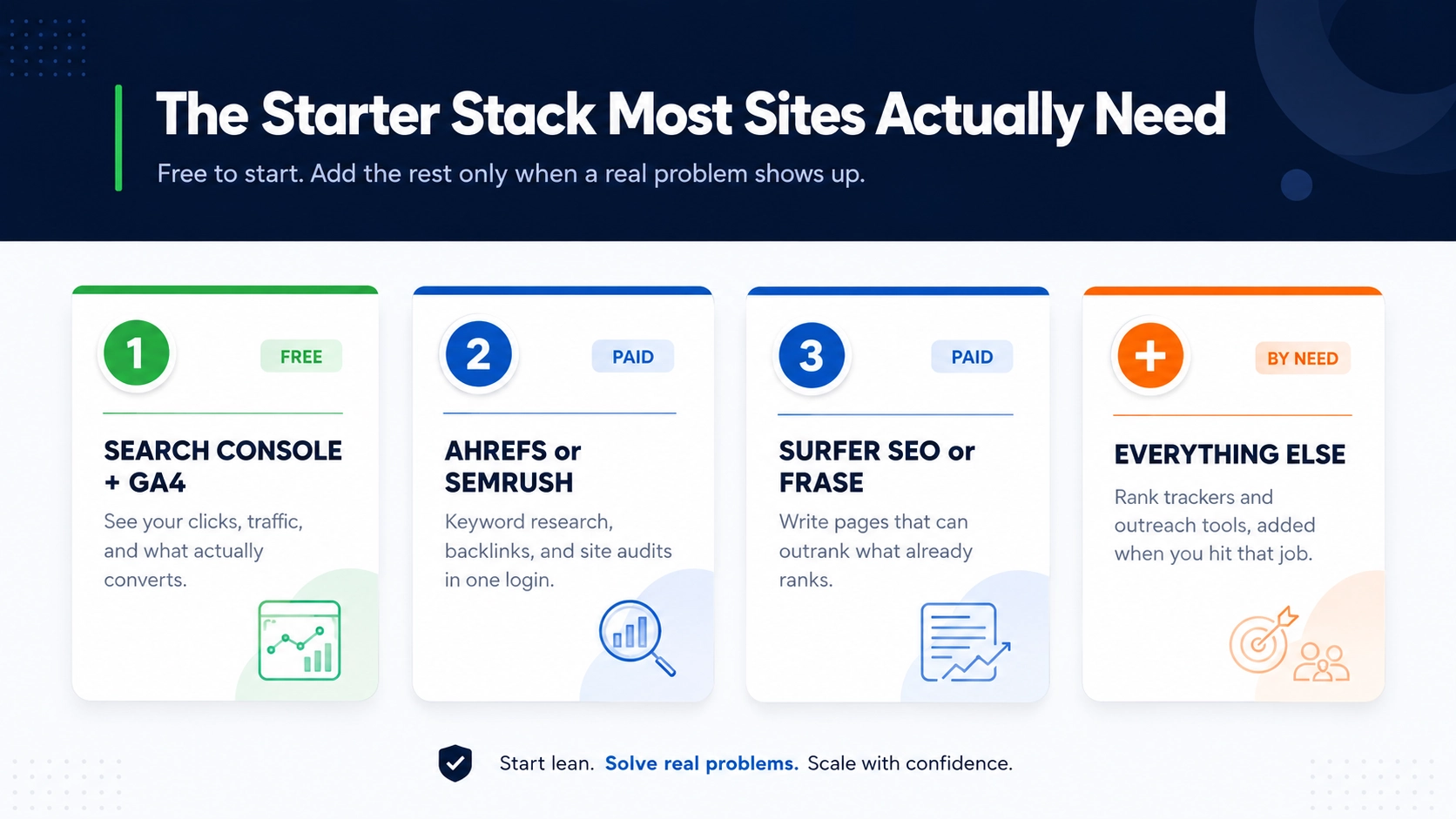
Here is the short version. Start with Google Search Console and Google Analytics 4, both free, to see what is working. Add one paid all-in-one, such as Ahrefs or Semrush, for keyword and backlink data. Add a content tool like Surfer SEO once you publish often. That stack covers most of what a site needs. The rest of this guide breaks down all 40 by job, so you can reach for the right one the moment a real problem shows up.
CATEGORY 1 OF 7
All-in-one SEO Platforms
An all-in-one platform handles keyword research, backlinks, rank tracking, and site audits under a single login. If you buy just one paid tool this year, buy one of these.
- AhrefsKnown for the size of its backlink index. It covers keyword research, competitor analysis, and site audits in one place, which is why so many agencies and in-house teams live inside it.
- SemrushA wide toolkit that adds paid-search and competitor data on top of the usual SEO features. A strong pick when you run SEO and Google Ads side by side.
- Moz ProCovers keyword tracking, link data, and site crawls. Its Domain Authority score is quoted right across the industry.
- MajesticFocused entirely on links. Its Trust Flow and Citation Flow scores help you judge whether a backlink is worth chasing.
- SerpstatA lower-cost research platform for keywords, competitors, and audits. A common choice for smaller teams watching their budget.
- SE RankingRank tracking plus website audits at a friendly price. Suits freelancers and small agencies that want one dashboard.
- MangoolsA bundle of five simple tools, including KWFinder and SERPWatcher. It is easy to learn, which makes it a good first paid tool for beginners.
- UbersuggestNeil Patel’s tool for keyword ideas, traffic estimates, and quick audits. It has a free tier, so you can try it before you pay.
CATEGORY 2 OF 7
Keyword Research Tools
Keyword research tells you the words your customers type into Google and how hard each one is to rank for. Start here before you write a single page.
- Google Keyword PlannerFree with a Google Ads account. It gives real search volume and cost-per-click data straight from Google, so it is the honest baseline every other tool is measured against.
- KWFinderPart of Mangools, built for finding long-tail keywords with low competition. The colour-coded difficulty score is easy to read at a glance.
- AnswerThePublicTurns one seed word into the real questions people ask around it. A quick way to fill an FAQ or plan a cluster of blog posts.
- KeywordTool.ioPulls keyword ideas from Google autocomplete, and from YouTube, Amazon, and Bing too. Handy when you write for more than one platform.
- WordtrackerShows keyword competition and helps you judge which terms are worth the effort. It has been around a long time and stays reliable.
- Keywords EverywhereA browser add-on that shows search volume and related terms right inside your Google results, so you never break your flow to check a number.
- Long Tail ProBuilt around finding profitable long-tail keywords, with a lean toward commercial intent. Useful when you sell something and want buyers, not just readers.
CATEGORY 3 OF 7
Rank Tracking Tools
Rank trackers check where your pages sit in Google for the keywords you care about, and record how those positions move week to week.
- AccuRankerFast, accurate daily rank updates. A favourite when you need numbers you can trust every morning, especially for reporting to clients.
- SERPWatcherThe simple rank tracker inside Mangools. Clean, readable, and quick to set up for a small keyword set.
- ProRankTrackerTracks positions across search engines and locations, with plenty of report formats to hand over to clients.
- Advanced Web RankingHandles both local and global tracking, which makes it a fit for brands with many locations.
- WincherA budget-friendly tracker that still covers the basics well. A sensible pick for a small site or a side project.
CATEGORY 4 OF 7
Backlink Analysis Tools
Backlink tools show which sites link to you, alert you when links appear or drop, and help you find new link-building opportunities.
- LinkodyMonitors your backlinks and sends an alert the moment you gain or lose one. Simple, and priced for small sites.
- Monitor BacklinksTracks your links and helps you build a disavow file for the toxic ones before they hurt you.
- BuzzSumoShows which content earns the most shares and links, so you can pitch ideas that already work in your niche.
- PitchboxAutomates link-building outreach, from finding prospects to sending polite follow-ups. Built for teams that do outreach at scale.
- Hunter.ioFinds the email addresses behind a domain, which makes reaching the right person for a link far easier.
CATEGORY 5 OF 7
Technical SEO and Auditing Tools
Technical tools crawl your site the way Google does and flag the errors that quietly stop pages from ranking: broken links, slow speed, duplicate titles, and missing tags. For the full method, pair these with our Complete Technical SEO Guide.
- Screaming Frog SEO SpiderThe industry-standard crawler. Free up to 500 URLs, paid above that. It finds broken links, redirect chains, and duplicate titles in minutes.
- Lumar (formerly DeepCrawl)Enterprise-grade crawling for large sites with thousands of pages, where a desktop crawler runs out of room.
- SitebulbTurns raw crawl data into clear visual reports and a prioritised list of fixes, so you know what to do first.
- GTmetrixMeasures page speed and shows exactly what is slowing a page down, from heavy images to blocking scripts.
- Google PageSpeed InsightsFree. It scores your Core Web Vitals using Google’s own field data, which is the data Google actually judges you on.
- CloudflareA content delivery network that speeds up your site and adds a layer of security. The free plan is enough for many small sites.
- Schema markup generatorsFree tools that write the structured data code behind rich results, so you can add it without hand-coding JSON-LD.
CATEGORY 6 OF 7
Content and on-page SEO Tools
Content tools compare your draft against the pages already ranking and tell you what to add, so your page has a real chance to compete. If you also write with AI, see our pick of the best AI tools for content writing.
- Surfer SEOGrades your draft against the top-ranking pages and suggests terms, headings, and length. Popular with writers who want a clear target.
- ClearscopeScores your content for topic coverage against what currently ranks. A favourite of editorial teams that care about quality.
- MarketMusePlans content at the site level by mapping topics and spotting the gaps your competitors have already filled.
- FraseBuilds content briefs fast and scores your writing against the live search results, which saves hours of manual research.
- Yoast SEOThe best-known WordPress plugin for on-page checks: titles, meta descriptions, readability, and internal links.
- Rank MathA feature-rich WordPress plugin with schema, redirects, and on-page scoring built in. A strong free alternative to Yoast.
CATEGORY 7 OF 7
Analytics and Reporting Tools
Analytics tools tell you whether your SEO work is paying off, measured in clicks, traffic, and conversions. Both of these come free from Google, and no serious site should skip either.
- Google Search ConsoleFree. It shows how you appear in search: clicks, impressions, average position, and any indexing problems Google runs into. No paid tool sees this data as directly.
- Google Analytics 4 (GA4)Free. It tracks what visitors do after they land, from pages viewed to sign-ups and sales, so you can tie rankings to real business results.
THE PRACTICAL PART
Which SEO tools do you actually need?
Forty tools sound like a lot because you are never meant to use all of them. Here is a sensible stack for four common situations. Pick the row that matches you.
Blogger or beginner on a tight budget
Google Search Console, GA4, Google Keyword Planner, the free tier of Ubersuggest, and either Yoast SEO or Rank Math. Every item here is free or close to it, and together they cover research, on-page work, and measurement.
Small business site
Add one affordable all-in-one, such as SE Ranking, Serpstat, or Mangools, plus the free version of Screaming Frog for a quick technical check. That is enough to compete in most local markets.
Growing site with an in-house marketer
Move up to Ahrefs or Semrush for deeper backlink and competitor data, add a content tool like Surfer SEO or Clearscope, and bring in a dedicated tracker like AccuRanker if you watch rankings daily.
Agency managing many clients
Ahrefs or Semrush as the core, the paid Screaming Frog for audits, Pitchbox for outreach at scale, and a client-friendly rank tracker such as ProRankTracker or AccuRanker for clean monthly reports.Running a stack like this across a full client list is the day-to-day of our professional seo services
Free SEO tools worth starting with
You can run a small site on free tools alone. Start with these before you spend a rupee, then add paid tools only when you outgrow them.
search performance and indexing, straight from Google.
visitor behaviour and conversions.
real search volume data for free.
Core Web Vitals scoring.
crawl up to 500 URLs.
a faster, safer site.
Frequently Asked Questions
What are the most important SEO tools in 2026?
The most important are Google Search Console and Google Analytics 4, which are both free, plus one all-in-one platform such as Ahrefs or Semrush. Together they cover research, tracking, and measurement. Everything else on this list is a nice-to-have you add for a specific job.
How many SEO tools do I actually need?
Most sites need three or four. A free analytics pair (Search Console and GA4), one paid all-in-one, and a content tool cover the bulk of the work. Buying all 40 wastes money and gives you overlapping features you never touch.
What is the best free SEO tool?
Google Search Console is the best free SEO tool. It comes straight from Google, shows exactly how your site performs in search, and flags indexing problems that no paid tool can see as directly.
Which SEO tool is best for beginners?
Mangools and Ubersuggest are the easiest to learn. Both have clean layouts, gentle pricing, and cover keyword research and rank tracking without a steep learning curve.
What types of content get cited most in Google AI Overviews?
Informational content dominates AI Overview citations. How-to guides, definition pages, FAQ sections, research-backed articles, and explainer content perform best. Content that directly answers a specific question in the opening paragraph, uses clear headings, and includes schema markup gets picked up far more often than general or promotional content.
Ahrefs or Semrush, which one should I choose?
Ahrefs is often preferred for backlink data and a cleaner interface, while Semrush is stronger for paid-search and competitor research. For SEO-only work either is enough, so run a free trial of both and pick the one you find easier to read.
Are free SEO tools good enough?
For a small site, yes. Google's free tools handle research, tracking, and technical checks well. You outgrow them once you need deep backlink data, large-scale competitor research, or daily rank updates.
Do I need a separate rank tracker if I already use Ahrefs or Semrush?
Usually not. All-in-one platforms include rank tracking. A dedicated tool like AccuRanker only pays off when you need daily updates or you track thousands of keywords at once.
Which tools help with AI search, AEO, and GEO?
Content tools like Surfer SEO, Frase, and Clearscope help you write clear, answer-first pages that AI engines can quote, and schema generators add the structured data that supports citation in AI Overviews, ChatGPT, and Perplexity.