When a page will not rank, the cause is rarely the writing. It is usually the setup underneath it. Google reads your site before it reads your words, so this is where the work starts.
Think of technical SEO as the plumbing of your website. You can fit a beautiful kitchen, but if the pipes are blocked, nothing flows. The best content on the internet still loses if a search engine cannot crawl, read, and index the page it sits on.
In 2026, with tougher competition and smarter algorithms, getting this layer right has stopped being optional. This guide covers what works now, what shifted after Google’s March 2026 core update, and the fixes that actually move rankings instead of just filling a report.
START HERE
Who This Guide Is For
This is written for site owners, marketers, and developers who want a clear order of work, not a long list of theory. You do not need to be an engineer. If you can open Search Console and edit a few files on your site, you can act on most of what follows. Work through it top to bottom, or jump to the section that matches the problem you are seeing right now.
THE BASICS
What is Technical SEO?
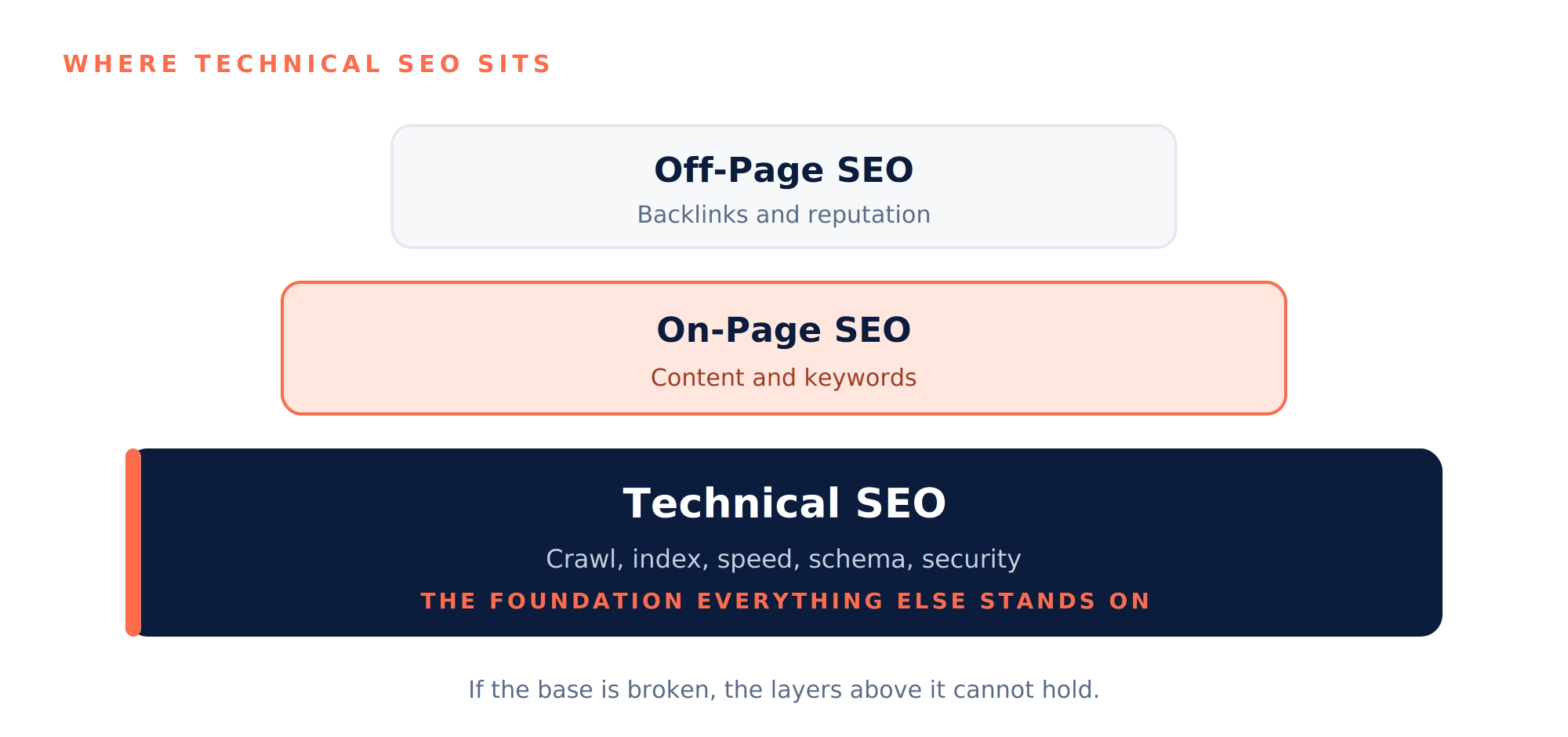
Technical SEO is the work you do on your website’s infrastructure so search engines can crawl, index, and rank it without friction. On-page SEO handles your content. Off-page SEO handles your backlinks. Technical SEO handles everything behind the scenes that lets the first two do their job.
It covers:
- Site speed and performance
- Mobile responsiveness
- Crawlability and indexing
- Site architecture
- Structured data
- Security (HTTPS)
- Fixing technical errors
THE STAKESTHE STAKES
Why Technical SEO Matters More in 2026
A few things raised the stakes this year:
- Google’s March 2026 core update put more weight on site speed and performance than any update before it.
- Only 47% of mobile sites currently pass all three Core Web Vitals. More than half are leaving rankings on the table.
- Sites that fail are losing somewhere between 8% and 35% of their traffic and revenue.
- AI tools like ChatGPT, Perplexity, and AI Overviews tend to cite sites that load fast and read clearly.
A confused site is close to invisible, both to Google and to AI. A clean one gets found and gets cited. Everything else you do in SEO sits on top of this layer.
01 / CRAWLABILITY
Can Google Reach Your Pages?
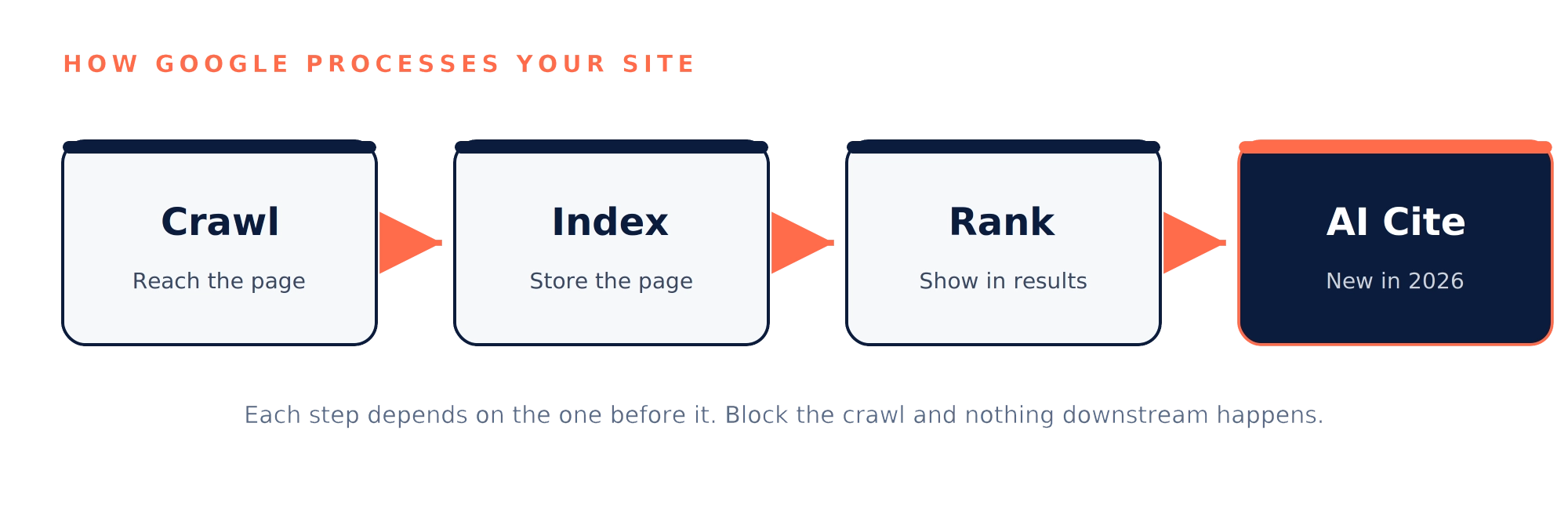
If Googlebot cannot reach a page, nothing else you do to it counts.
Check your robots.txt file
- Open yourdomain.com/robots.txt
- Make sure you are not blocking CSS, JavaScript, or important folders
- Modern Google renders the page the way a browser would, so blocking those files breaks the picture it sees
Decide how to treat AI crawlers
- The newer bots in 2026 are GPTBot, ClaudeBot, PerplexityBot, and OAI-SearchBot
- These feed AI search engines, so do not block them by accident if you want to show up in AI answers
Watch your crawl budget.
There is only a certain number of web pages that Googlebot can crawl within a single visit. In large websites, there can be several thousand URLs with very little value in terms of filters, parameters, etc. Make sure these pages do not block crawling of other valuable pages.
Clear your crawl errors in Search Console
- Open the Pages report
- Fix server errors (5xx) first, then soft 404s, then redirect chains
02 / INDEXABILITY
Can Google Add Your Pages to Search?
Crawling is step one. Indexing is step two, and plenty of pages get crawled without ever being indexed.
- Use the URL Inspection tool on any page that should rank but does not. It tells you if the page is indexed, why not, and when Google last visited
- Give every page a canonical tag that points to itself, naming your preferred URL for that content
- Make sure your canonicals, your sitemap, and your internal links all agree on the same URL. When they disagree, Google has to guess
Keep your XML sitemap clean
- Include only the pages you actually want indexed
- Make sure every URL returns a 200 status
- Keep the lastmod dates current
- Split large sitemaps by type: products, blog, locations
A bloated sitemap stuffed with 4,000 dead URLs does more harm than no sitemap at all.
Use noindex where it earns its place
- Tag pages, thin category pages, internal search results, thank you pages, and admin pages
Keeping these out of the index lifts the average quality of what stays in.
03 / ARCHITECTURE
Site Structure and Internal Linking
A clean structure helps Google and helps the people using your site.
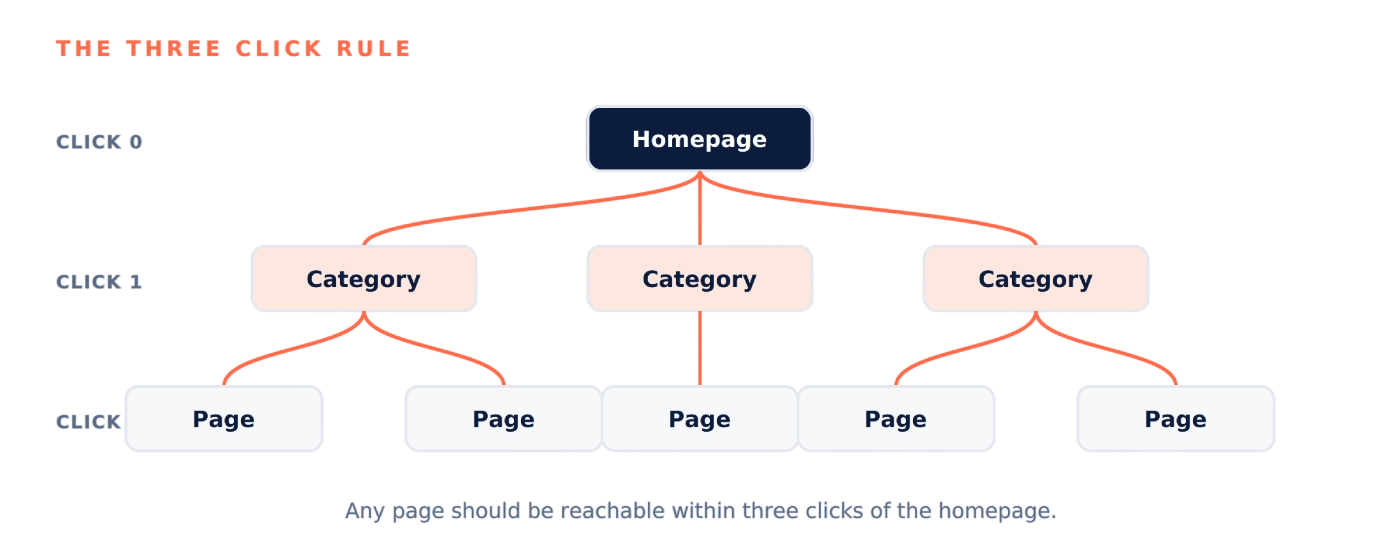
- Aim for any page to be reachable within three clicks of the homepage
- Pages with solid internal links rank better than orphan pages that nothing points to
- After you publish a new article, add three to five internal links to it from older, related pages
- Use Screaming Frog or Sitebulb to find orphan pages
- Add breadcrumb navigation with BreadcrumbList schema, which helps both readers and rich results
04 / PERFORMANCE
Core Web Vitals: The Performance Layer
These are the metrics used by Google for assessing the perceived speed and reliability of the website. At the beginning of 2026, Google introduced the updated version of Core Web Vitals 2.0, incorporating stricter criteria and the fourth metric of VSI.
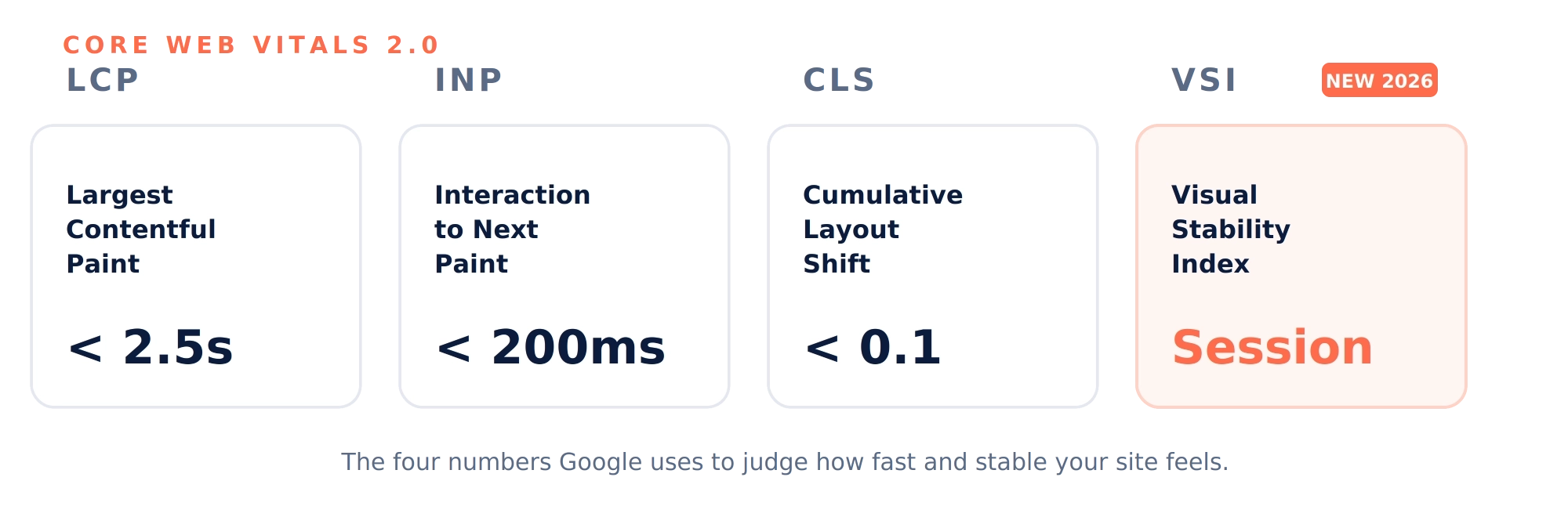
LCP: how fast your biggest visible thing loads
- Use AVIF or WebP formats, which run 30% to 50% smaller than JPEG
- Add fetchpriority high to the LCP element
- Keep server response (TTFB) under 200ms and use a CDN if your audience is spread out
- Inline your critical CSS and defer the rest
INP: how fast your site reacts to a tap or click
INP replaced FID in March 2024 and is now the most commonly failed Core Web Vitals. Common causes:
- Heavy third-party scripts (tag managers, chat widgets, ad code)
- Long JavaScript tasks running over 50ms
- Slow React or Vue components re-rendering too often
CLS: how much things jump around as the page loads
- Always set width and height on images and videos
- Reserve space for ads, embeds, and late loading content with CSS
- Use font-display optional or preload your web fonts
CLS is the easiest of the four to fix. Most sites can clean it up inside a week.
VSI: stability across the whole session
- Tracks layout stability across the full session, not just the first load
- Allows shifts a user expects, like a menu opening on click
- Penalises shifts they do not, like an ad pushing the article down mid sentence
- The fix is the same discipline as CLS: reserve space for anything that loads late
Test on real devices, not just lab scores
Lab tools give you a clean score in ideal conditions. Real visitors sit on mid-range phones and patchy networks. Check the field data in Search Console and CrUX, since that is the data Google actually scores you on, not the lab number.
05 / MOBILE FIRST
Mobile First Indexing
Google indexes the mobile version of your site, not the desktop one. So your mobile site is the one carrying the weight. On a phone, check that:
- All your main content is visible, not hidden behind ‘tap to read more.’
- Your schema markup matches the desktop version
- Images still load on a slow 4G connection
- Tap targets sit at least 48 pixels apart
If your mobile page is thinner than your desktop page, you are quietly losing rankings.
06 / SECURITY
HTTPS, Security, and Hygiene
The basics here are cheap to get right and costly to ignore:
- Force HTTPS across the whole site with a 301 redirect from HTTP
- Renew SSL certificates before they expire. One day of an expired certificate can cost you rankings
- Add HSTS headers
- Fix mixed content warnings, where an HTTPS page loads an HTTP asset
- Run a malware scan every month. A flagged site drops out of search fast
07 / STRUCTURED DATA
Schema Markup
Schema gives Google a clearer read on what your content actually is.
Schema that still earns rich results in 2026
- Organization and LocalBusiness
- Article and NewsArticle
- Product with Offer and AggregateRating
- Review (for things, not for your own business)
- BreadcrumbList
- Event, Recipe, VideoObject
Schema to skip or handle carefully
- HowTo, which Google deprecated in September 2023. No reason to add it now
- FAQPage, restricted to government and healthcare sites since August 2023. Existing markup still helps AI citation, but new FAQ markup for Google rich results no longer pays off
08 / DUPLICATES
Duplicate Content
Duplicated web pages receive no penalties, but they share their ranking potential. Each website competing for the same keyword gets only half of its ranking ability. Possible duplicates include
- HTTP and HTTPS versions
- The www version and the version without www
- Trailing slash versus no trailing slash
- URL parameters like ?sort=price or ?utm_source=
- Print versions and paginated pages
The fix is the same each time: pick one version, redirect the rest, and stay consistent across canonicals, internal links, and sitemap.
09 / LOCALISATION
Hreflang for Multi Country Sites
If you serve different countries or languages, hreflang tells Google which version to show to whom. The rules are strict.
g itself
- ,.Use ISO codes such as en-IN, en-US, and hi-IN
- Include an x-default tag for the fallback page
One mistake breaks the whole cluster, so validate with Merkle’s hreflang tag tester before you trust it.
10 / AI SEARCH
AI Search Readiness (AEO and GEO)
This is the layer that grew up in 2026. To get cited by AI Overviews, ChatGPT, Claude, and Perplexity:
- Serve your main content as plain HTML, not buried inside JavaScript
- Use a clean heading order: one H1, then H2s, then H3s
- Put the direct answer in the first two sentences of every section, the BLUF approach (bottom line up front)
- Wikidata, LinkedIn, and Crunchbase
- Add an llms.txt file at your root that explains what your site is about
Write so AI can lift a clean answer.
The AI tools cite the one sentence that contains the answer to the question, not the entire page that you have written. The sections should be introduced by an answer in a complete sentence followed by additional information. It is much more likely to be cited if it can stand alone.
THE ORDER TO FIX THINGS
Action Plan: What to Fix First
Do not try to fix everything at once. Work in this order.
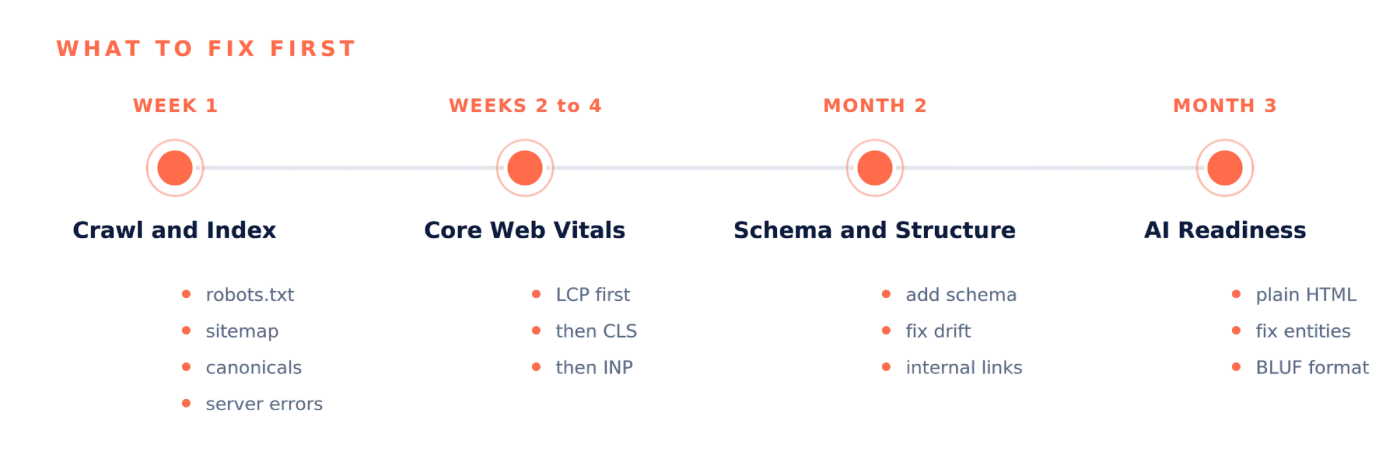
Fix robots.txt, clean the sitemap, fix canonicals, and clear server errors.
Start with LCP (compress hero images, fix TTFB), then CLS (set image sizes, reserve ad space), then INP (remove unused scripts, defer JavaScript).
Add the schema you are missing, fix any schema drift, and improve internal linking.
Audit for plain HTML content, fix your entity details across the web, and restructure your main pages with the BLUF format.
Frequently Asked Questions
What is the difference between SEO, AEO, and GEO?
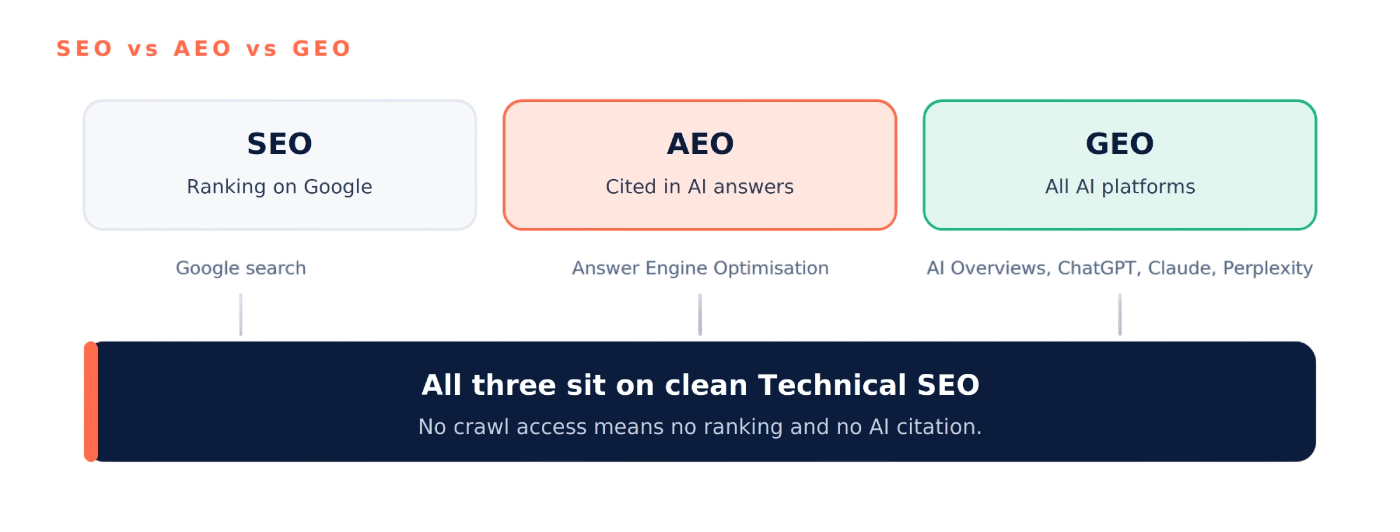
SEO is about ranking on Google. AEO is about getting your site cited in AI answers. GEO covers all the AI platforms together, including AI Overviews, ChatGPT, Claude, and Perplexity.
AEO and GEO do not replace SEO. They sit on top of clean technical SEO, and without crawl access, there is no AI citation in the first place.
Should I block GPTBot, ClaudeBot, and PerplexityBot?
Not unless you have a specific reason. Blocking them takes you out of AI search results, and AI search is now a real discovery channel.
If your goal is only to keep your content out of AI training rather than out of AI answers, block GPTBot and Google-Extended but allow OAI-SearchBot and PerplexityBot.
Why is INP the hardest Core WebVitals to fix?
Because it needs changes at the JavaScript level, not just lighter images. You cannot cache your way out of it, and you cannot compress your way out of it.
The main fix is removing third-party scripts you do not need. Cutting five to ten unused trackers usually does more for INP than any deep tuning.
Is FAQ schema still worth adding in 2026?
For Google rich results, no. For AI citation, yes. Google restricted FAQ rich results to government and healthcare sites in August 2023, but ChatGPT, Perplexity, and AI Overviews still lean on FAQ schema heavily.
Keep your existing FAQ markup, and for new pages prioritise Organization, Article, Product, BreadcrumbList, and LocalBusiness.
What is VSI (Visual Stability Index)?
A new Core Web Vitals introduced in early 2026. It tracks layout stability across the whole session rather than just the first load.
It allows shifts a user expects, like a menu opening on click, and penalises shifts they do not, like ads pushing content around. The fix is the same as for CLS: reserve space for everything.
What is llms.txt and should I add it?
It is a file, in the spirit of robots.txt, that tells AI crawlers what your site covers. It is still a proposed standard rather than an official one.
Early signs suggest it helps with AI citation; it takes about 30 minutes to set up, and there is no downside to having it.
How long until I see ranking improvements?
Core Web Vitals data moves over a 28-day rolling window, so allow four to six weeks there. Ranking changes usually follow over two to three months. Crawl and indexation fixes can show up within days.
Does my site need to be indexed to appear in AI Overviews?
Yes. AI Overviews pull from Google's main index, so if you are not indexed, you will not be cited. ChatGPT and Perplexity sometimes use other pipelines, but the Google index is still your safest bet.
Run a site colon yourdomain.com check every quarter and compare it against your sitemap.
What is schema drift and why does it hurt rankings?
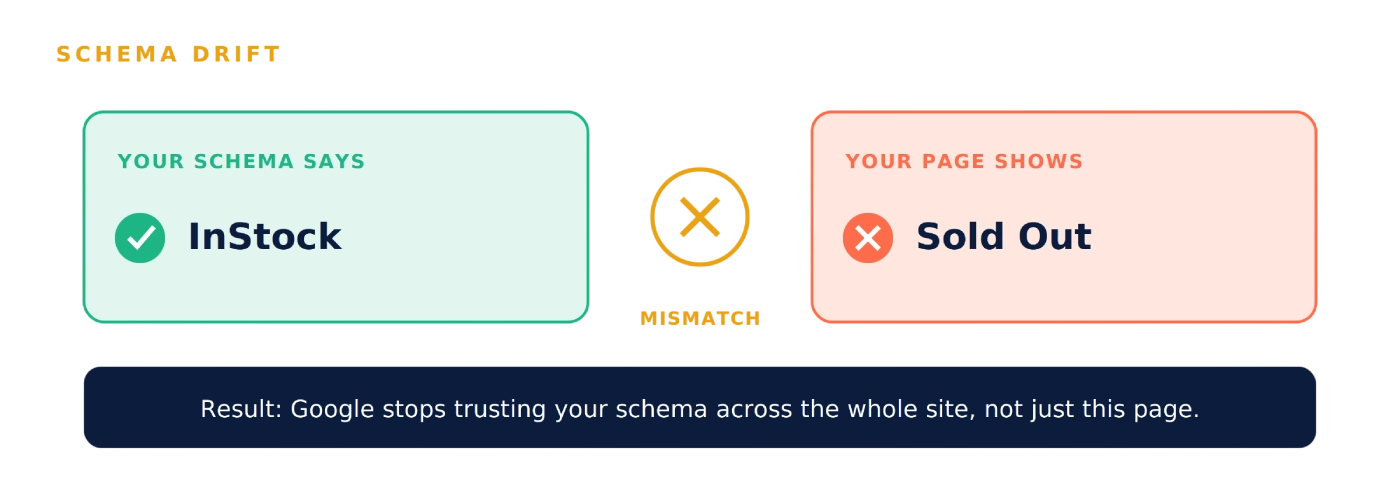
Schema drift = your schema and your visible content say different things.
- Example: schema says "InStock" but button says "Sold Out"
- Google catches the mismatch
- Google stops trusting all your schema across the site
- Fix: Run the Rich Results Test after every site release
Is HowTo schema still useful?
No. Google killed HowTo rich results in September 2023.
- Stop adding new HowTo schema
- Existing HowTo schema does not hurt, but does not help either
- Use Article or BreadcrumbList instead
How is the December 2025 rendering update affecting sites?
Google now skips rendering pages that return non-200 status codes.
- 404 pages with JavaScript "related products" — Google may never see them
- 5xx error pages with JS content — also skipped
- Fix: Return proper 200 status on important pages, or render content server-side
How often should I run a technical SEO audit?
Every quarter, if you publish regularly.
- Plugin updates break things
- New scripts slow the site down
- Template tweaks cause schema drift
- Quarterly audits catch issues before they compound
- Annual audits = too much damage in between